Full Browser-Based Access
The entire Mino Casino platform, including 10,000+ pokies, live dealer tables, the cashier and the loyalty dashboard, runs in Safari on iOS and Chrome on Android without any download.
App at Mino: Live Casino on Mobile
Access every pokie, live dealer table, cashier feature and bonus on iOS and Android through your mobile browser. No download. No app store needed. One account, everywhere.
Access every pokie, live dealer table, cashier feature and bonus on iOS and Android through your mobile browser. No download. No app store needed. One account, everywhere.
Access every pokie, live dealer table, cashier feature and bonus on iOS and Android through your mobile browser. No download. No app store needed. One account, everywhere.
Play on Mobile Play only if you are 18 or older. Gambling can lead to addiction, and bonus terms apply.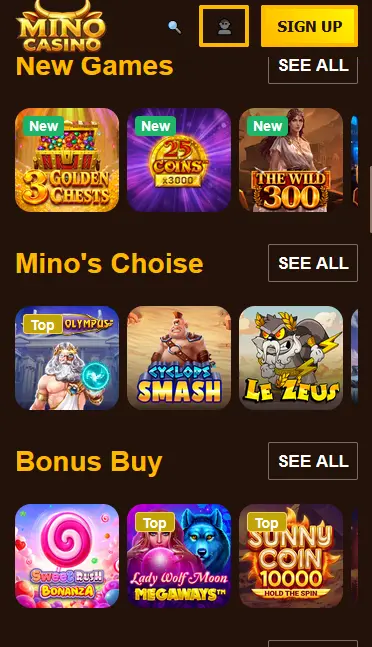
Mobile Account Safety
What You Should Do
What You Should Avoid
How to Start Playing on Mobile
Mino Casino Mobile: Pros and Cons
Pros
Cons
Mobile Play at Mino Casino
Full Browser-Based Access
The entire Mino Casino platform, including 10,000+ pokies, live dealer tables, the cashier and the loyalty dashboard, runs in Safari on iOS and Chrome on Android without any download.
Instant Loading, No Updates
Because the mobile experience is browser-based, there is nothing to install and no update process. The site refreshes automatically, so you always get the current version of the casino.
SSL-Encrypted Mobile Sessions
Every mobile session, whether you are logging in, depositing via Neosurf or uploading KYC documents, is protected by SSL encryption. Two-factor authentication adds a further layer to your account.
Device Requirements
Android
iOS
The mobile browser version of Mino Casino delivers the same game catalogue as the desktop site: 10,000+ titles across pokies, live casino, table games and jackpots. The lobby categories, including Bonus Buy, Jackpot, Drops and Wins, New and Popular, are all accessible via the navigation menu on a phone or tablet.
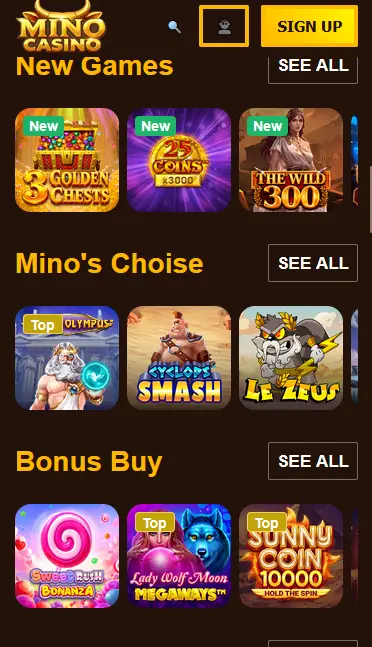
Pokies from Pragmatic Play, Play’n GO, BGaming, Hacksaw Gaming, NetEnt, Yggdrasil, Red Tiger and Big Time Gaming load quickly in a mobile browser without any perceptible difference from desktop play. High-volatility titles such as Gates of Olympus (Pragmatic Play, RTP 96.50%), Sweet Bonanza (Pragmatic Play, RTP 96.51%), Book of Dead (Play’n GO, RTP 96.21%) and Wanted Dead or a Wild (Hacksaw Gaming, RTP 96.38%) all perform well on mobile screens. Megaways mechanics, tumbling reels and bonus-buy features function identically on mobile.
Live dealer tables from Evolution and Playtech stream smoothly on a modern mobile browser when the connection is stable. Live Roulette, Speed Blackjack, VIP Blackjack and Baccarat from Evolution are available on mobile, as are game-show formats including Crazy Time. Landscape orientation is recommended for live tables to give the video feed and betting controls the most screen space.
RNG blackjack, European Roulette, French Roulette and multi-hand blackjack variants from NetEnt and Play’n GO work well on touch screens. The tap interface for placing chips and confirming decisions is responsive and easy to use without a mouse.
Progressive jackpot pokies from Red Tiger and Pragmatic Play are fully accessible on mobile. These titles are best approached with a separate bankroll plan, given their higher variance relative to standard pokies.
Every bonus offered at Mino Casino is fully claimable through the mobile browser. The cashier and bonus activation flow work identically on desktop and mobile.
New players can claim the three-deposit welcome package of up to $4,140 plus 400 free spins entirely through the mobile cashier. Select the bonus path during the deposit step, confirm, and the bonus is credited automatically. The 48-hour activation window and 5-day wagering period apply the same way as on desktop. Full terms are available on the bonus page. 18+ only. Please gamble responsibly.
Registering through the mobile browser takes the same form as desktop registration. Tap the Register button on the homepage, enter your full legal name, date of birth, residential address, phone number and email address, choose AUD as your account currency and confirm via the verification link sent to your email. The entire process typically takes under five minutes. Accurate details from the start make the KYC verification step faster when you make your first withdrawal.
Sign in using the Login button at the top of the mobile site. Enter your registered email and password, and complete the 2FA step if enabled. You reach the full account dashboard immediately. For the fastest return visits, add a home screen shortcut (see the installation steps above) and enable biometric login or saved passwords through your device’s own password manager.
Mino Casino is not available as a download from the App Store or Google Play. All mobile play happens through the browser, which means there is nothing to install and nothing to update manually.
Open Chrome on your Android device. Navigate to minocasino24.com. Tap the three-dot menu in the top-right corner and select Add to Home Screen. Give the shortcut a name (for example, Mino Casino) and confirm by tapping Add. The shortcut appears on your home screen and opens the full casino site in one tap. You can also access the site directly in any browser without the shortcut.
Open Safari on your iPhone or iPad. Navigate to minocasino24.com. Tap the Share icon (the box with an upward arrow) at the bottom of the screen. Scroll through the share options and tap Add to Home Screen. Confirm by tapping Add in the top-right corner. The shortcut appears on your home screen alongside your other apps and opens the full casino site immediately when tapped.
Both the Android and iOS shortcuts described above function as a Progressive Web App (PWA)-style shortcut. They open the site without browser navigation bars taking up screen space, giving an experience closer to a native app. The casino itself is not a PWA by technical definition but the shortcut approach replicates the key convenience benefits: a home screen icon, fast launch and full-screen browsing.
The mobile browser experience at Mino Casino mirrors the desktop site in all meaningful ways. The lobby, cashier, bonus section, loyalty programme dashboard, achievements, Olympus Shop, Labyrinth Map, tournaments and live chat are all present and functional.
The search and filter tools work on touch screens, allowing players to find pokies by provider, mechanic or title. Bonus tracking, including the wagering progress bar for any active welcome or reload offer, updates in real time. The cashier supports Neosurf, Visa, Mastercard, Skrill, Neteller, MiFinity and cryptocurrency deposits and withdrawals without any feature reduction. Support at [email protected] is accessible via the live chat icon that remains visible throughout the site.
There are no functional differences between the mobile browser version and the desktop site in terms of game availability, bonus eligibility or cashier features. The primary practical difference is screen size: live dealer tables and some wider pokie layouts benefit from landscape orientation on a phone. On a tablet, the layout closely resembles the desktop experience. There is no download size, no storage use and no permission request, because everything runs inside the browser.
The Mino Casino mobile site is designed for Android 8.0 and later using Chrome (current version recommended). Older Android versions may encounter display issues with live dealer streams or the game lobby layout. Keeping the Chrome browser updated ensures the best performance across all pokie and live casino titles.
Safari on iOS 13 or later handles the full Mino Casino mobile experience without issues. iOS 15 or later is recommended for the smoothest live dealer streaming performance. The site does not require any Safari-specific settings to be changed; the default configuration handles the full catalogue including bonus-buy pokies and live tables.
| Specification | Android | iOS |
|---|---|---|
| Browser | Chrome (latest) | Safari (latest) |
| Operating System | Android 8.0+ | iOS 13+ |
| Connection | 4G/5G or Wi-Fi | 4G/5G or Wi-Fi |
| Storage | None (browser-based) | None (browser-based) |
| App Store | Not required | Not required |
The full cashier is available on mobile. Neosurf, Visa, Mastercard, Skrill, Neteller, MiFinity, Paysafecard, CASHlib, CashtoCode, Binance Pay, Bitcoin, Ethereum, Litecoin, Solana, USDT and other supported cryptocurrencies are all accessible through the mobile cashier without restriction.
| Method | Deposit | Withdrawal |
|---|---|---|
| Visa / Mastercard | Instant | 1-5 business days |
| Skrill | Instant | 0-24 hours |
| Neteller | Instant | 0-24 hours |
| MiFinity | Instant | 0-24 hours |
| Neosurf | Instant | Via verified payout method |
| Bitcoin | Instant | 10-60 minutes |
| Other Crypto | Instant | 5-90 minutes |
Every cashier transaction on mobile is processed over an SSL-encrypted connection. Withdrawal requests must match the account holder’s name, and KYC verification is completed before any cashout is approved. Voucher-style deposit methods such as Neosurf and Paysafecard require a separately verified withdrawal route such as Skrill, Neteller or a cryptocurrency wallet before funds can leave the account.
All data transmitted between your device and the Mino Casino platform uses SSL encryption. This covers login sessions, deposit and withdrawal requests, bonus activations and KYC document uploads. The HTTPS padlock in your browser’s address bar confirms the connection is secure before any sensitive action is taken.
Two-factor authentication is available in the account security settings and works across all devices. Once activated, signing in from any browser, including a new or unfamiliar mobile device, requires both the password and a one-time code generated by the linked authentication app. This prevents unauthorised access even if the password is compromised.
Biometric login (Face ID on iOS, fingerprint on Android) is managed at the device and browser level rather than within the casino platform. Saved passwords in Safari’s iCloud Keychain or Chrome’s password manager can be unlocked biometrically, making sign-in both secure and fast without re-entering credentials every visit.
Live chat is available 24 hours a day, 7 days a week, directly from the mobile browser. Tap the chat icon at any point during your session to connect with the support team. Email support at [email protected] handles more complex queries such as payment disputes, document submissions or responsible-gambling requests.
Mino Casino’s responsible-gaming tools are accessible from the account settings on mobile. Take a Break pauses the account for 1 day, 3 days or 1 week. Reality Check sends a notification after 60, 90 or 180 minutes of play to help you keep track of session length. Self-Exclusion by email request locks the account for a longer period; contact [email protected] to initiate the process. The minimum age to hold an account is 18. If gambling starts to feel like something other than entertainment, use the on-site tools or email the support team directly. Play responsibly.
Mobile Play Questions
No. Mino Casino does not offer a native app in the App Store or on Google Play. All mobile access takes place through the browser on your device, with the full game lobby and cashier accessible from Safari on iOS or Chrome on Android.
The browser-based platform is designed for Android 8.0 and later and iOS 13 and later. Devices running older operating systems may encounter display or performance issues, and using an up-to-date browser version gives the best experience.
Yes. The full cashier, including Neosurf, Visa, Mastercard, Skrill, Neteller, MiFinity and cryptocurrency options, is available through the mobile browser without any limitation compared to the desktop site.
No. Your existing Mino Casino account gives you full access to games, bonuses, the cashier and live chat on both desktop and mobile. The same email and password combination works across all browsers and devices.
Play Mino Casino on Your Mobile Now
Claim up to $4,140 and 400 free spins across your first three deposits.
Enter the Casino Play only if you are 18 or older. Gambling can lead to addiction, and bonus terms apply.